LIVE Lab - Texas A&M University
From Static PDF to Growth Engine
Role in team of 5
Skills
Timeline
Status
MVP - In Development
Problem
Great content was trapped
in a Broken format
Texas A&M Univeristy's sales curriculum was proven. The format was killing it.
01
No Accountability
There was no one checking in. Motivation faded fast with a static PDF and no visible progress.
02
Wrong Starting Point
Linear PDFs forced advanced students to study basics, causing frustration.
03
No time
Balancing university, a part-time job, and launching a business made long study sessions impossible to sustain.

75%
of the students abandoned Sales Workbook’s static PDF.
Mission
Convert a static sales curriculum into a self-paced, bilingual web app designed for 15-minute daily sessions.
pivot
The decision that shaped everything.
The client had a direction: a city-building metaphor where buildings grew as students completed modules. We built it. We tested it with 6 students. The result was unanimous.
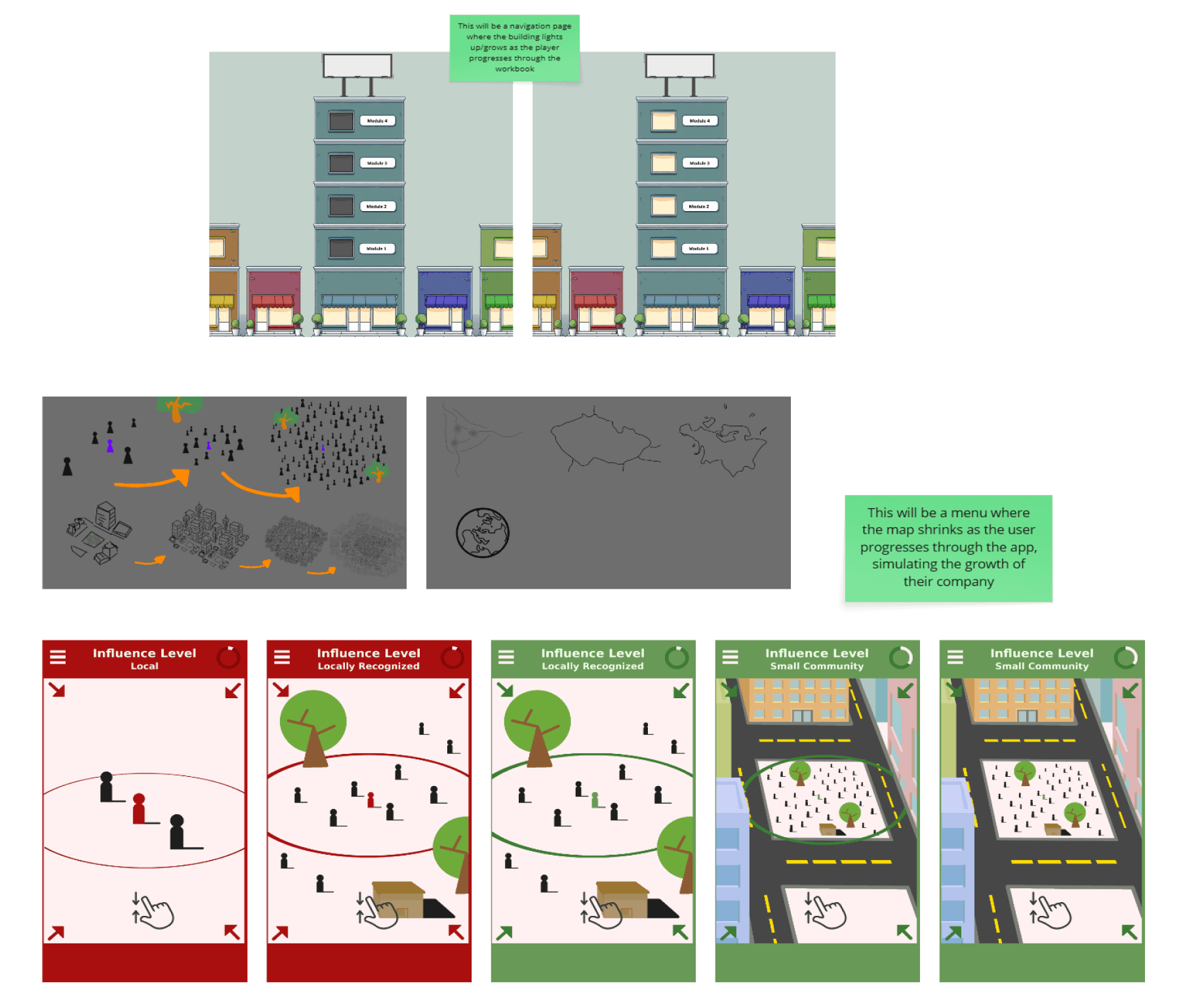
Old design
INITIAL CONCEPT
The City Builder
Buildings grew taller with every completed module. Visually engaging, but users focused on the city, not the sales content.
“This feels like a game, not a tool for my actual business.”
—Usability test participant
FINAL DIRECTION
Professional Simplicity
Stripped away all visual metaphors. Replaced them with real business metrics: streaks, completion %, a progress tracker tied to actual outcomes.
Users focused on the lesson, not the metaphor.
RESEARCH
Not laziness.
A lack of feedback.
To understand why students quit, I ran an informal generative survey with 20 student entrepreneurs and conducted 5 in-depth interviews. The survey was directional, not statistically significant. The interviews are where the real insight came from.
Informal survey, n=20
5 interviews
Ages 22-30
B2B · B2C · Retail
No visible progress = primary barrier
Not boredom. Not difficulty. Just the absence of any signal they were moving forward.
Wanted non-linear learning paths
Students scaling a business had no patience for a course starting at step one.
Open to subtle
gamification
Streaks and progress bars work. Only 15% found them distracting.
“I'd read a chapter, feel motivated, then completely forget about it by next week. There was no one checking in on me”
—Interview Participant 7
“I'm trying to scale to 100 customers, but the course started with how to get your first sale. I stopped after week one."
—Interview Participant 9
User Flows
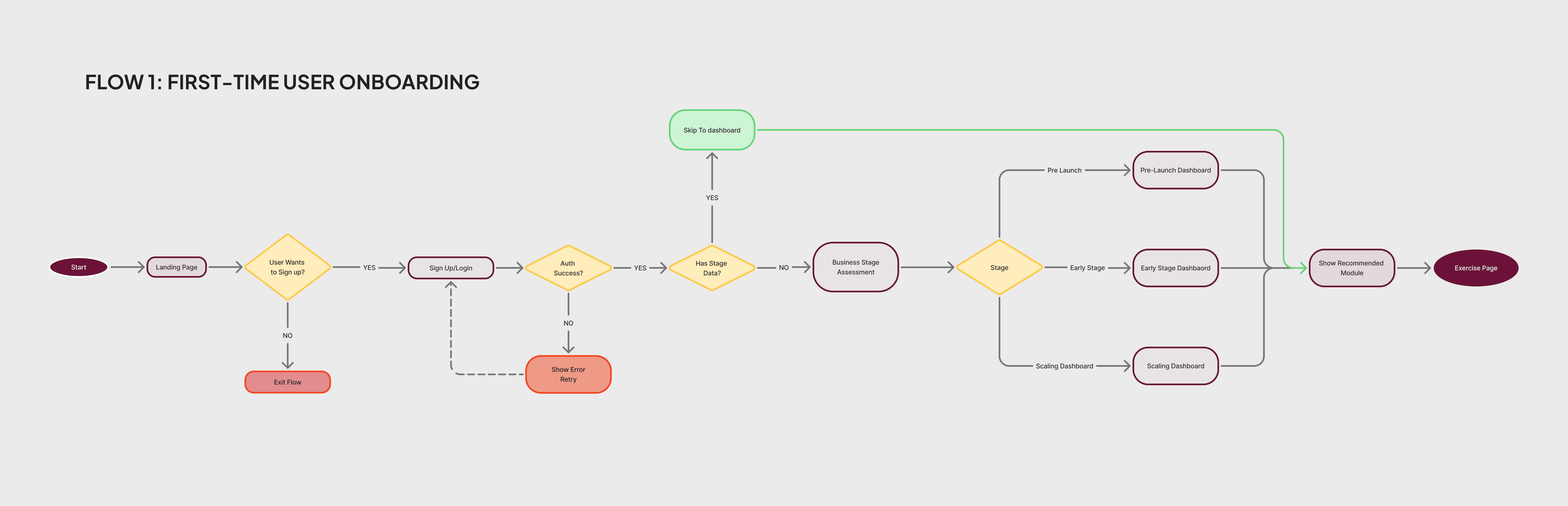
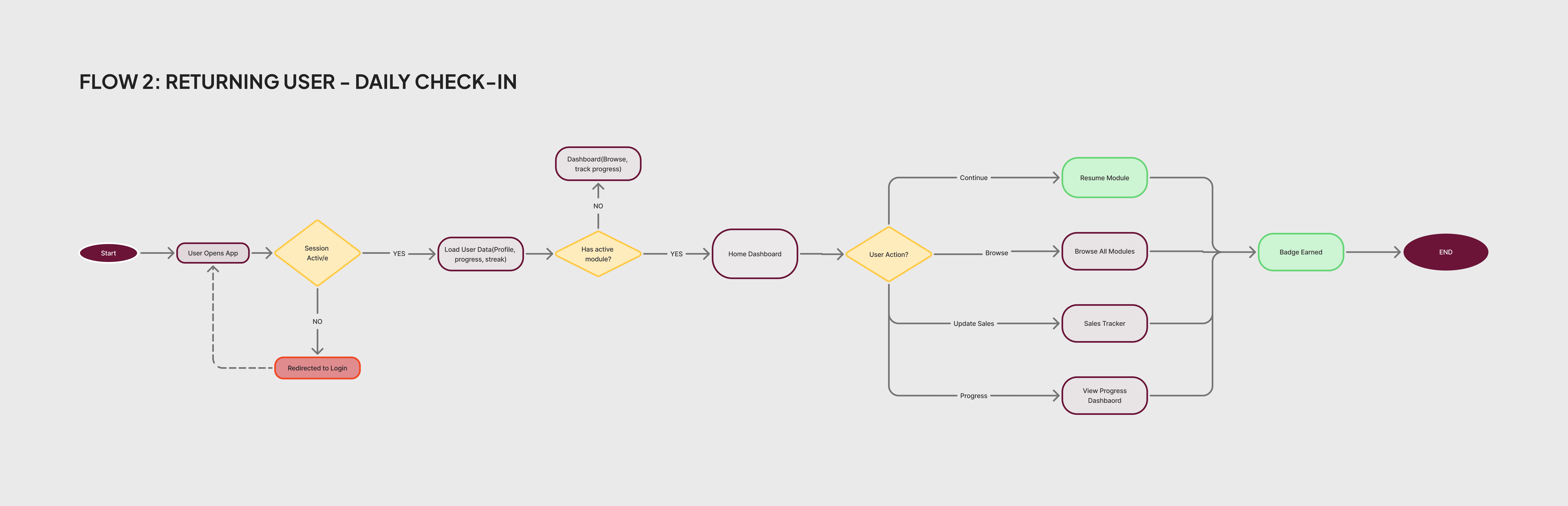
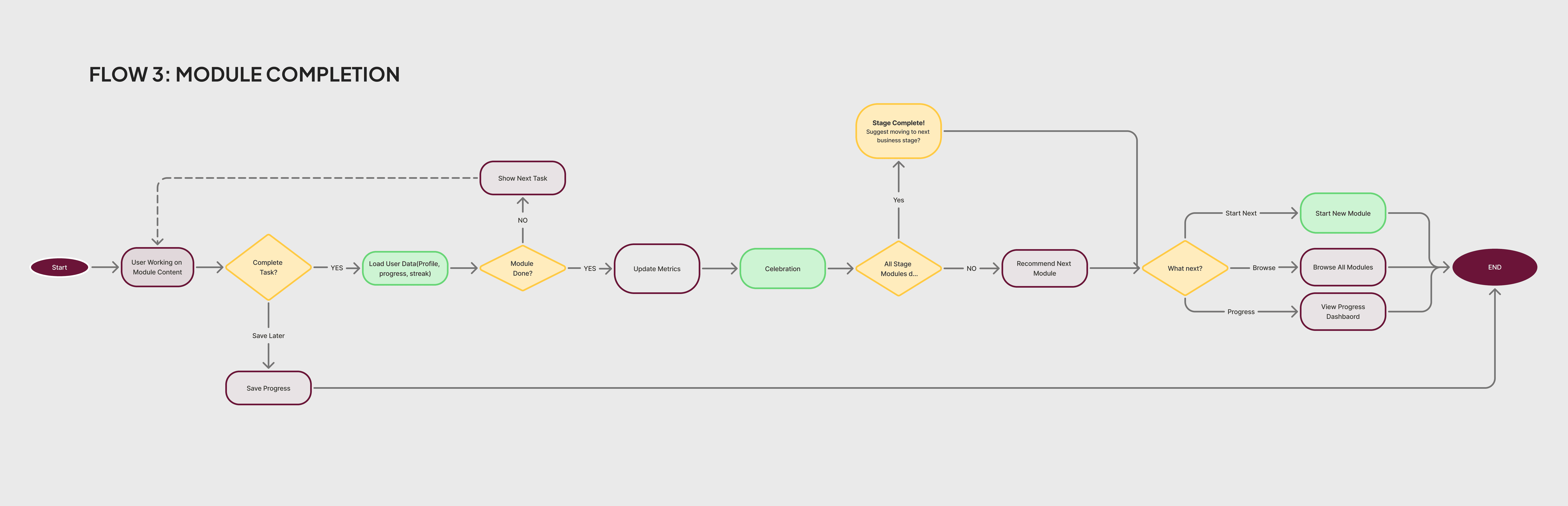
I wanted to be realistic in what I could achieve given the time limitations, so I decided to focus on 3 aspects Business Stage assessment for non-linear modules, daily check-ins and progress visibility.
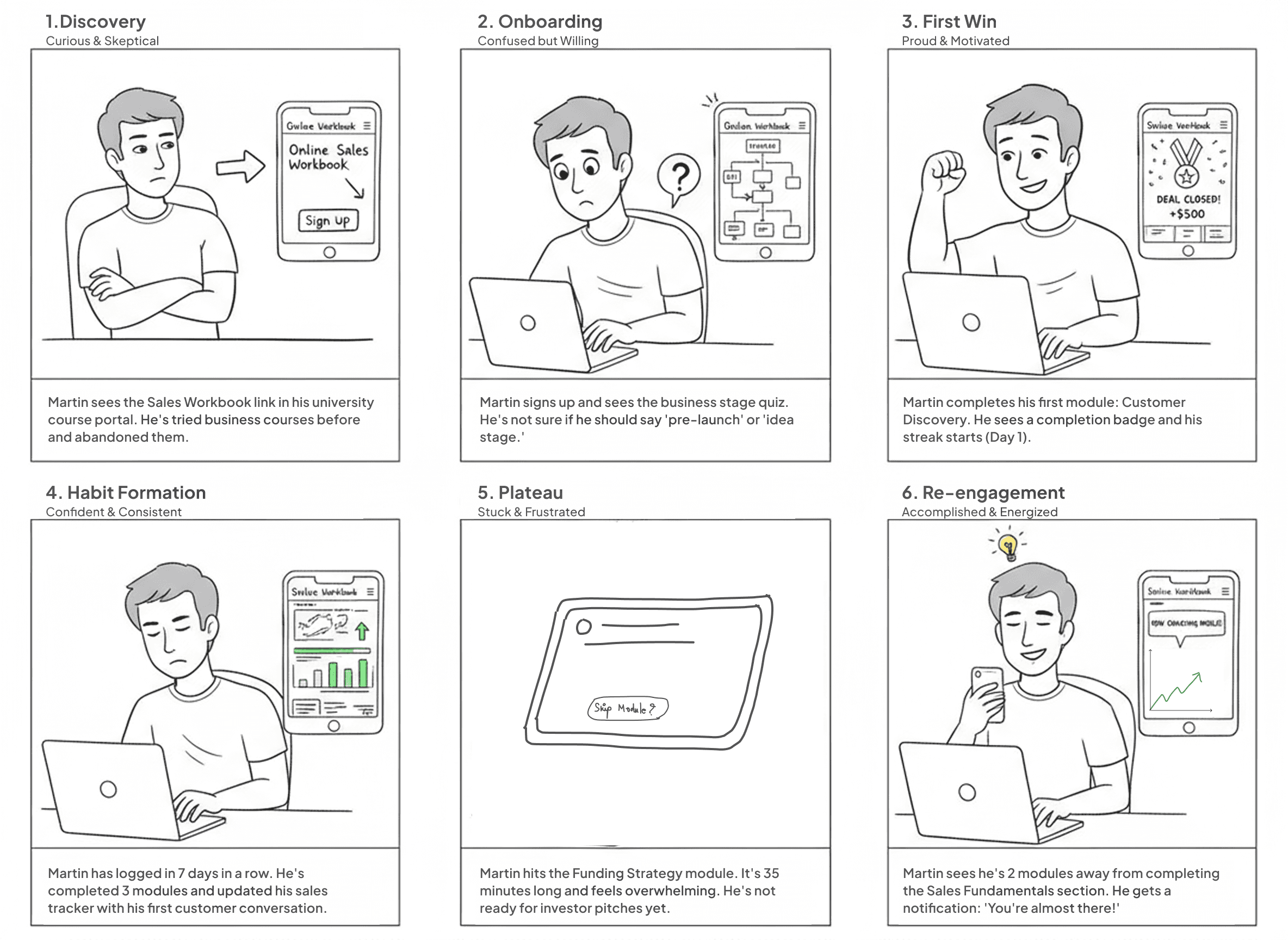
Ideal User Journey would like this
Mapping Martin's emotional experience from skeptical discovery to successful completion.
DESIGN
Three insights. Three principles.
Visible Progress
Replace the black hole of static PDFs. What gets measured, gets done.
Flexible Paths
Not all startups begin at stage zero. Serve pre-launch and scaling founders equally.
Cognitive Ease
15-20 minute sessions. One objective per screen. Learning that fits a chaotic schedule.
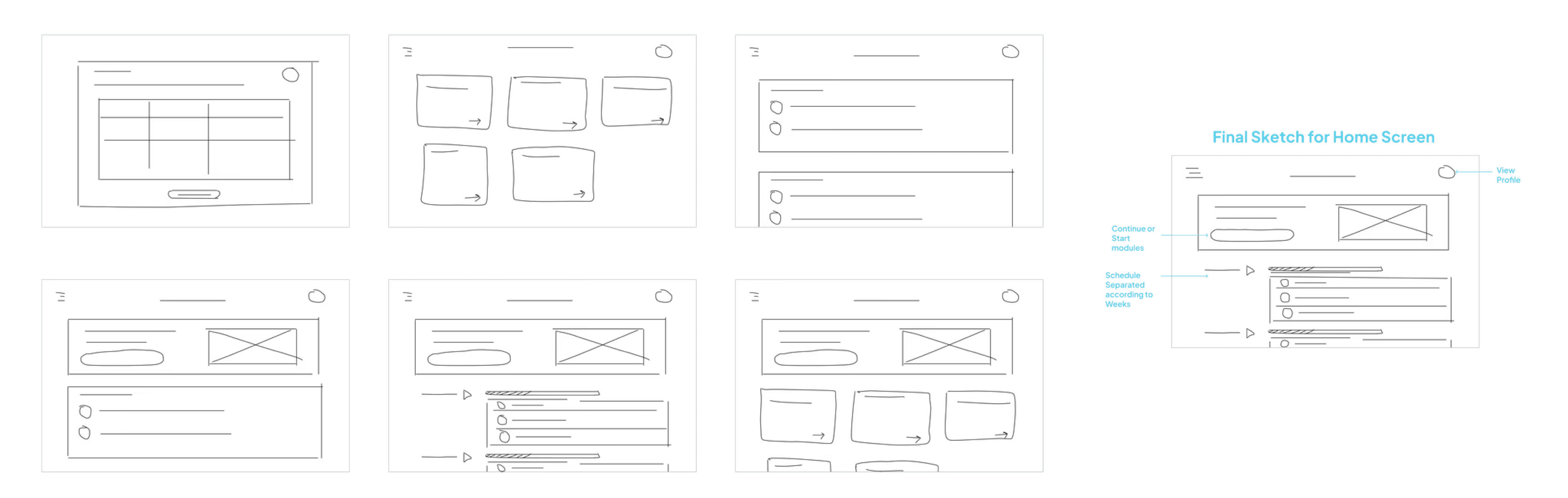
Sketches for Module Dashbaord/Home Screen
Solution
Five features.
One goal: accountability.
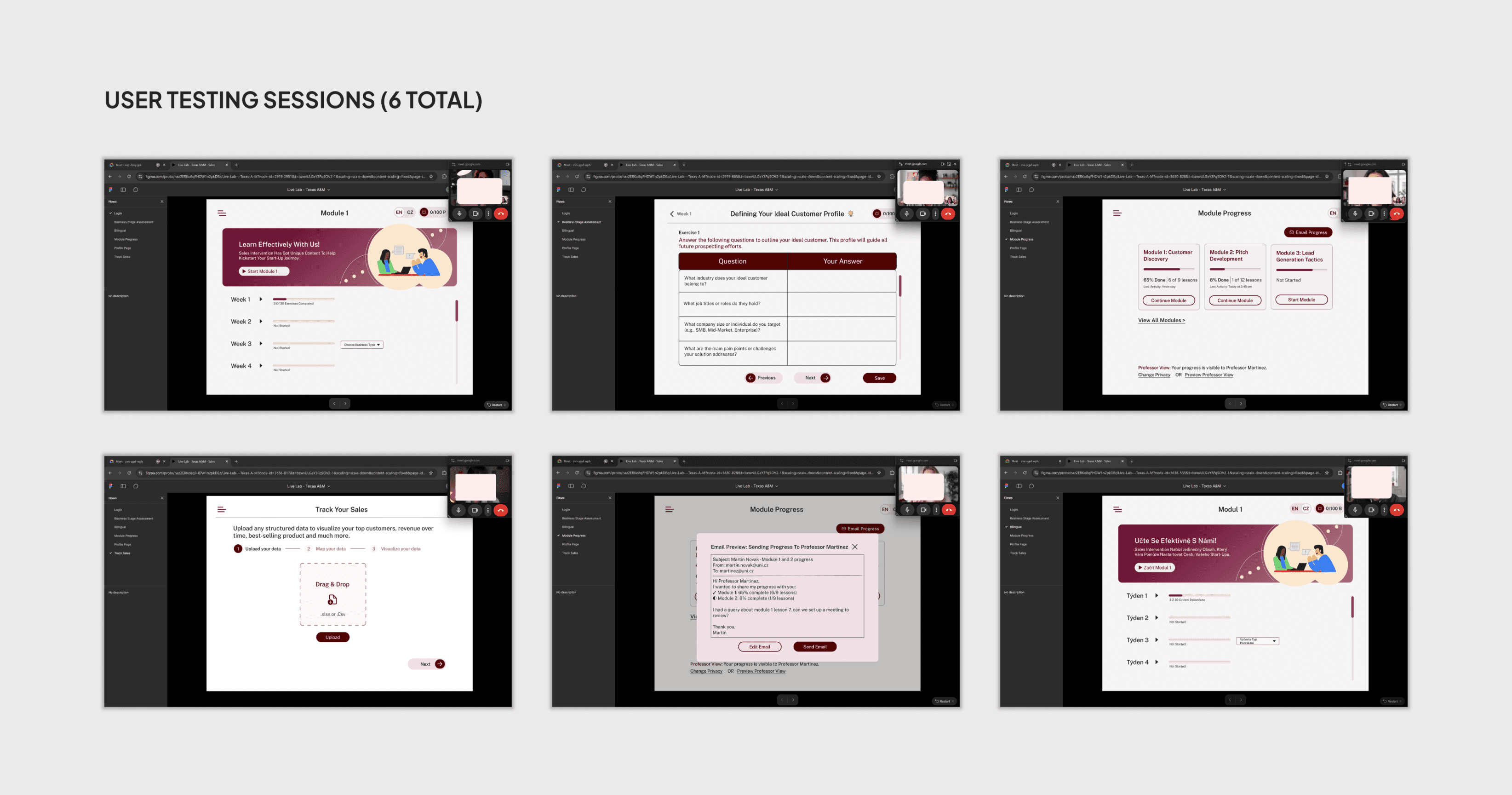
I translated these into design principles through wireframing and prototyping. Testing with 6 students, I previously interviewed to validate my approach and led to five core features.
1. Bilingual Interface
One toggle. Switches the entire app between English and Czech mid-session without losing progress. Language becomes a preference, not a barrier.
Designed for Adoption
By 3 Czech Universities (expected post-launch)
Business Stage Assessment
A 3-questions onboarding quiz. Auto-routes each student to relevant modules. Pre-launch students start with Customer Discovery. Scaling students jump to Retention.
45 to 95%
First-session completion · in usability testing (n=6)
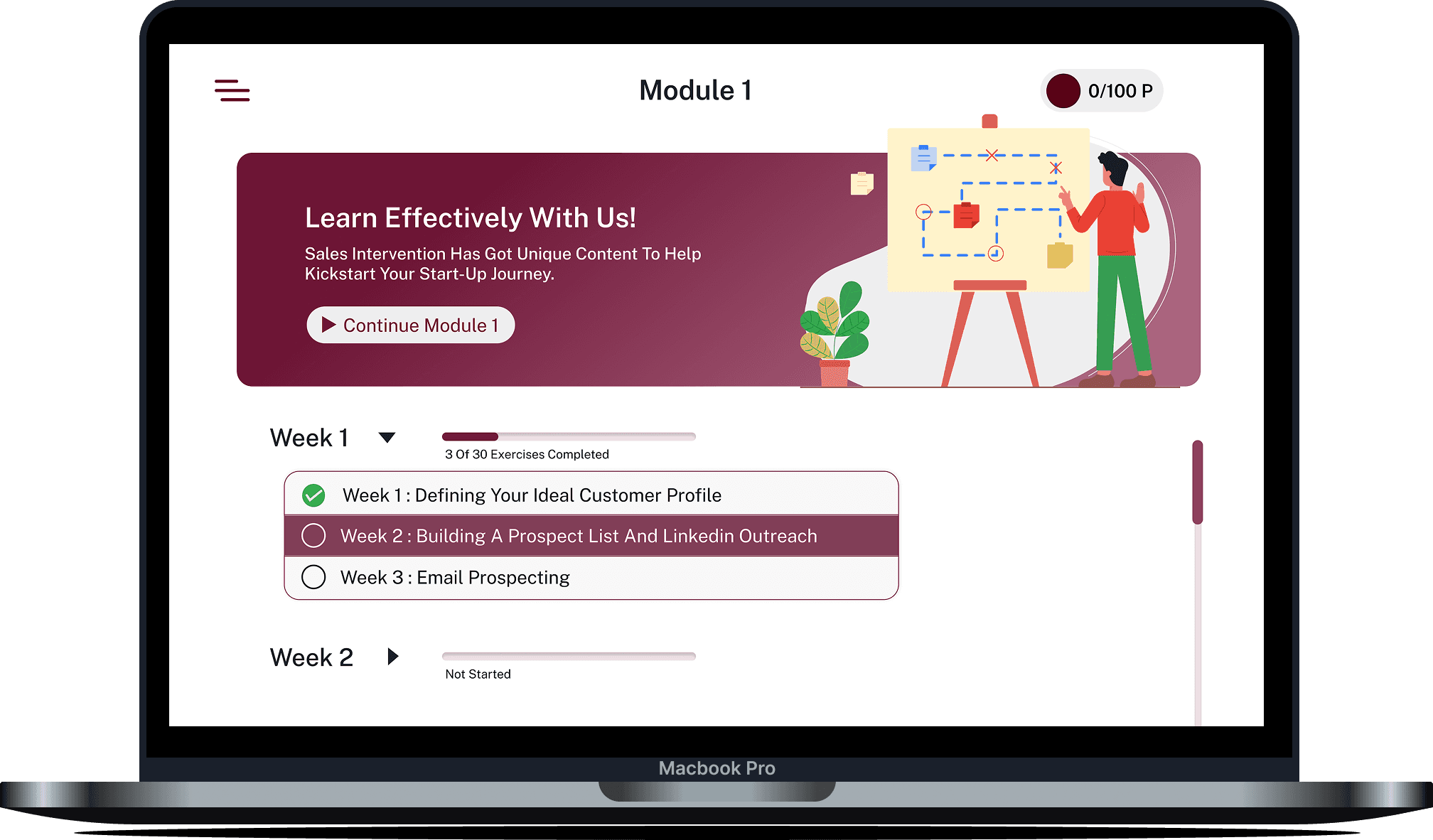
Module Dashboard
All modules visible upfront. Collapsible categories, progress bars, and Continue buttons. No forced order. Students jump to what they need now.
60%
of survey respondents needed this flexibility
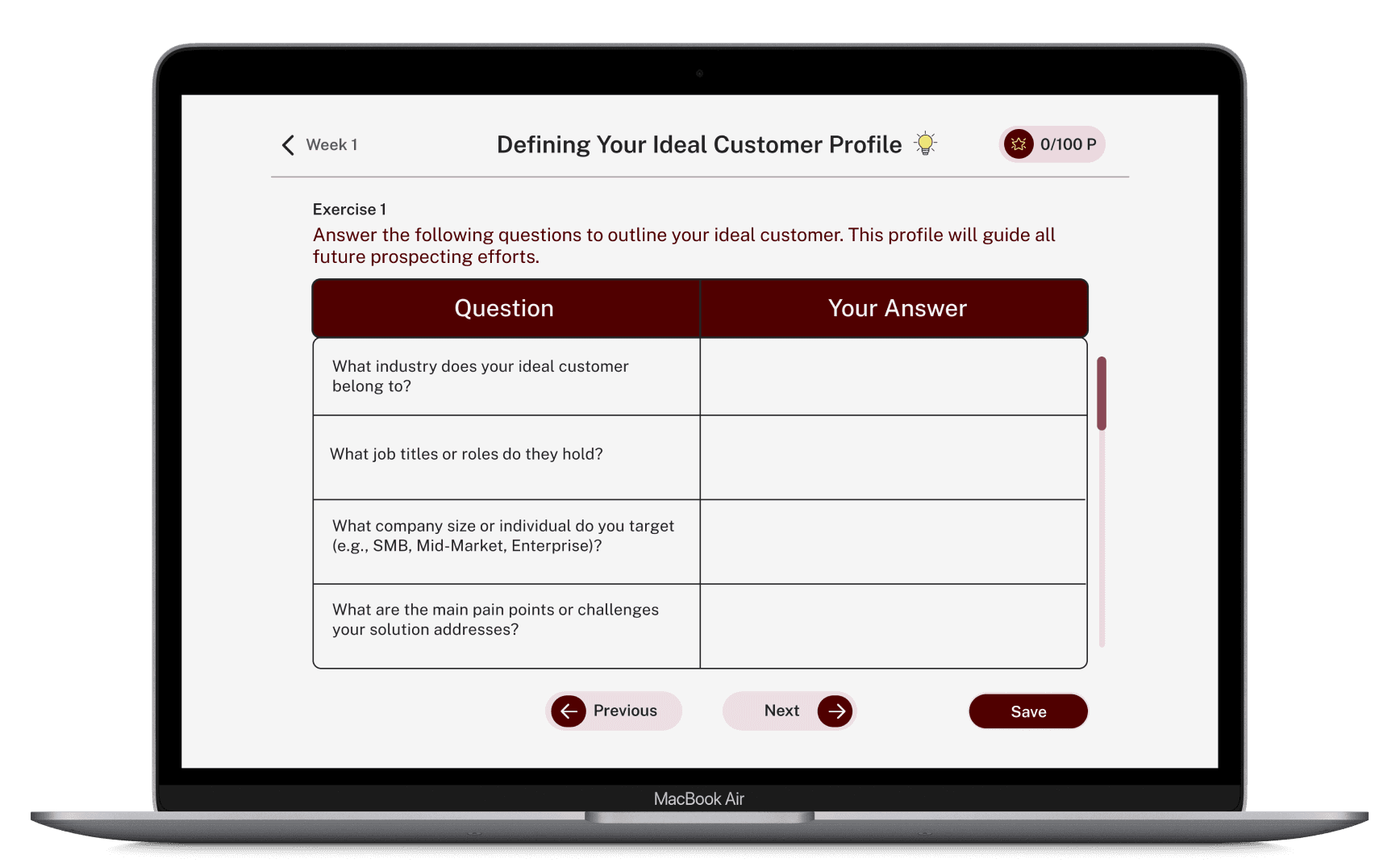
4.Questions + Objectives Screen
One objective. 3 to 4 questions per module. One question per screen. Generous whitespace. A maroon header for orientation. No overload.
85%
Completion on modules under 20 min · usability testing (n=6)
Module Progress Tracker
Students avoided sending updates because they did not know what professors would see. A one-click email preview shows the exact message before sending.
74% faster
47s to 12s · confidence 3.2 to 4.6/5 · (n=6)
Before Testing
After Testing
What we removed
The best design decision
was saying no.
I built a full Sales Data Visualizer with CSV import and analytics dashboards. Then cut it.
Iteration 2 - Discarded
40% were pre-launch with zero sales data to import.
Redundant. Excel and Notion already do this better.
Added friction. CSV import is a barrier, not a feature, for a student founder.
Wrong priority. 70% of respondents needed accountability, not analytics.
IMPACT
We turned a syllabus
into a daily habit.
Usability testing with 6 participants. These are prototype results, post-launch tracking will tell the full story.
Impact and Validation
Task Completion Rate
Usability testing, n=6 · Target: maintain post-launch
User Confidence Score
3.2 to 4.6/5 across tested interactions
Faster Progress Sharing
47 seconds down to 12 seconds
Next Steps
Post-launch retention tracking and module completion analysis to validate usability findings at scale.
Longitudinal study on real business outcomes — first sales, customer growth, sustained engagement.
Expanding bilingual support to additional Czech university cohorts.
Public release on Itch.io with an open feedback loop to drive the next iteration.